
Competitor Brand Monitoring
Competitor brand monitoring is the fastest way to see what your market cares about — in real time. Track competitor mentions, pricing complaints, feature requests, and “alternatives to…” posts so you can respond faster than the rest of the category.
In this section, we'll cover:
What competitor brand monitoring is
The difference between monitoring, listening, and competitive intelligence
Why it matters (and what it replaces)
How it beats quarterly research and stale competitor pages
What to track
The competitor signals that actually change outcomes
Where to monitor
Which platforms produce which competitor insights
Keyword playbook
Exact keyword patterns: alternatives, pricing, churn, vs, comparisons
Alerts workflow
How to triage signals and route them to the right team
Action playbooks
Sales, marketing, and product responses you can ship immediately
Common pitfalls
Noise traps and measurement mistakes to avoid
Next steps
A simple weekly system you can run in 20 minutes
1. What Is Competitor Brand Monitoring?
Competitor brand monitoring is the practice of tracking what people say about your competitors (and their products) across public conversations — then using that signal to make faster, better decisions.
2. Why Competitor Monitoring Matters (and What It Replaces)
Most “competitive analysis” is slow: quarterly docs, stale teardown pages, or random notes in Slack. Social media is different — it’s where buyers discuss real problems in public, in the language they actually use.
- ⚡ Faster messaging: Learn what competitors claim — and which claims get challenged.
- 🎯 Better positioning: See what people compare you against (often surprising).
- 💬 Sales enablement: Spot objections in the wild and build talk tracks that answer them.
- 🧠 Product intelligence: Discover competitor gaps, missing features, and “why I churned” posts.
- 📈 Content + SEO: Find exact phrases people use (“alternative to…”, “best…”, “vs…”) and turn them into pages that rank.
If you only do one thing: monitor “[competitor] alternative” and “switching from [competitor]”. Those are the highest-intent conversations in almost every category.
3. What to Track: The Signals That Actually Matter
Competitor chatter gets noisy fast. These are the signals that reliably turn into actions.
4. Where to Monitor: What Each Platform Is Good For
Different platforms produce different competitor insights. You don’t need to be everywhere — you need the right mix for your market.
If you’re starting from zero, begin with Reddit + X (Twitter). They surface the highest volume of competitor comparisons and switching intent in most niches.
5. Keyword Playbook for Competitor Brand Monitoring
Keywords are the engine. Most teams fail here by using broad terms (noise) or only tracking competitor names (context-free mentions).
Start with these intent-driven patterns
Use “problem-first” keywords to uncover unknown competitors
Competitor monitoring isn’t only about known brands — it’s also how you discover what buyers think your category is.
“What’s the best social listening tool for competitor tracking?”
“Any good alternative to [category leader] for small teams?”
“Need a tool to monitor competitor mentions across Reddit and X.”
6. Turn Keywords Into a Daily Alerts Workflow
The hardest part isn’t finding competitor mentions — it’s turning them into consistent action. This workflow keeps signal high and time low.
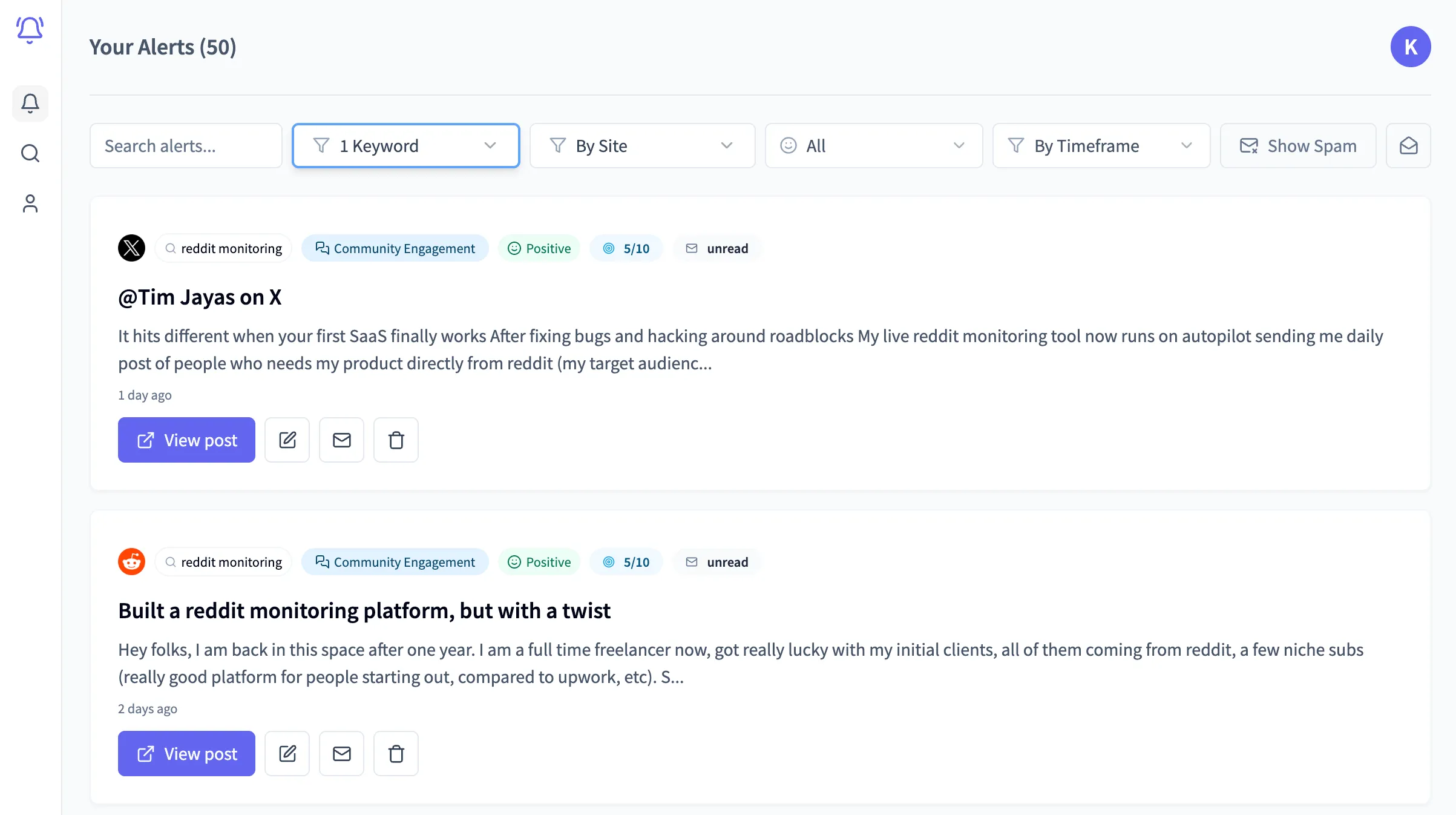
Triage in 3 buckets
- 🔥 Action now: alternatives, vs, switching, urgent complaints.
- 🧠 Learn: feature gaps, objections, positioning debates.
- 📣 Amplify: competitor campaign angles you can counter (or outperform) with content.
7. Action Playbooks: What To Do With the Signal
Competitor monitoring only creates leverage when it changes what you do next. Here are simple playbooks you can run immediately.
Reply templates (keep them human)
Bad reply
Try our tool — it's better than [competitor]. Book a demo!
Good reply
If you’re evaluating alternatives, what’s the 1–2 things you need most (price, integrations, reporting)? Happy to share a quick comparison checklist — we built ours after running into the same issues.
8. Common Pitfalls (and How to Avoid Them)
📉 Tracking vanity metrics instead of intentFollower counts and likes don’t equal pipeline. Prioritize switching/comparison/pricing keywords.
🌪️ Keyword noiseMonitoring a competitor name alone catches irrelevant chatter. Use intent phrases (“alternative”, “vs”, “pricing”, “cancelled”).
🧍 No ownershipIf no one owns triage, alerts pile up. Route “Action now” items to a single inbox or owner.
🧩 Not turning insight into assetsThe highest ROI is building reusable assets: comparisons, migration guides, objection handling, and FAQ pages.
9. Next Steps: Your 20-Minute Competitor Monitoring System
- List your top 5 competitors (include product names and common misspellings)
- Create an intent keyword set: alternative, vs, pricing, switching, cancelled, support
- Add 3–5 category keywords: best, recommend, tool for, software for
- Set a daily digest review (10 minutes) + a weekly insight review (10 minutes)
- Turn the top repeated theme into one asset (comparison, migration guide, or FAQ page)
Stop guessing what your competitors are winning on
Alertly helps you monitor competitor conversations across social media so you can respond faster, position better, and win more deals.
⚡ Start competitor brand monitoring